
Free help: USER GUIDE

Home > Clients & Profits X User Guide > Snapshots > Productivity

|
Clients & Profits X Online User Guide |

Productivity reports use time sheets to show how the shop’s time is spent.
These reports are the best way to
see how people work -- by client, job, or task.
Productivity reports show the hours, cost amounts,
and billable amounts for both billable and non-billable
hours, so you’ll see a complete picture of
your work.
Productivity reports show time by work date. Like time reports, productivity
reports show hours posted from time cards and time sheets. But unlike time
reports, productivity reports only show totals -- so you won’t see individual
time entries. This makes productivity reports much more concise (and probably
more usable) than time reports.
Productivity reports don’t show billings. They’re less concerned
with how the time was billed (or not billed) than with how the time was actually
spent, since the cost of your staff is mostly fixed (unless they’re freelancers,
that is). One reason for printing productivity reports is to see how time is
being used, and especially if it is being managed properly. One of the reasons
to track productivity is to ensure that the right people work on the right
clients (i.e., the higher-paid staffers should only work on the most profitable
clients, etc.).
Productivity reports can also help you balance your work load. If one staff
member is consistently logging more hours than other staff, you’ll see
it in their total hours -- they’ll be higher than others. You can use
this information to move work around, so that everyone is working more efficiently.
Time reports vs. productivity reports
Productivity reports show time in summary, while time reports show time in
detail. Productivity reports are designed to give managers a clear idea of
how the staff spends their time over a week, month, quarter, or year.
The analysis reports allow you to see which tasks were completed
on time and which were late, or a list of missed deadlines can be printed for
each staff member
Time reports, in contrast, are designed for day-to-day time accountability.
Time reports show every time entry, including a lot of extra information (like
rates and descriptions) that is interesting but not meaningful to management.
For productivity purposes, time reports simply show too much detail. Time reports
are ideal, however, for seeing time before billing. Since time reports show
the time entry’s detail, they give you enough information to intelligently
decide what to bill -- and what not to bill.
Tips for tracking staff productivity
Productivity reports for a long time period can take some time to print, depending on the quantity of time sheets selected.
Print productivity weekly to analyze how everyone managed their time.
The cost and billable amounts are totaled from time sheets using the task’s or staff member’s cost and billing rates. If someone’s cost or billable amounts seem strange, print a time report for the same range for work dates to see the time details. If you print both reports for the same time period, their totals will equal.
The cost and billable totals on productivity reports combine the different rates used on the staffer’s time sheets. Your billable totals will reflect different rates for different tasks on time sheets added for the selected time period.
To print productivity reports1 Choose Productivity from the Snapshots menu.
The Productivity Reports window opens.
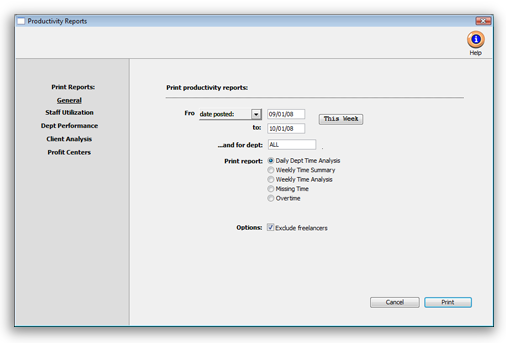
2 Select the kind of report (i.e., General, Staff Utilization, Dept Performance, Client Analysis, Profit Centers)
3 Make your report selection.
If you don't want freelancers included on your report, check the "exclude freelancers" option and time for all freelancers will not be included in this report.
4 Click Print.
Productivity Reports |
|
General |
|
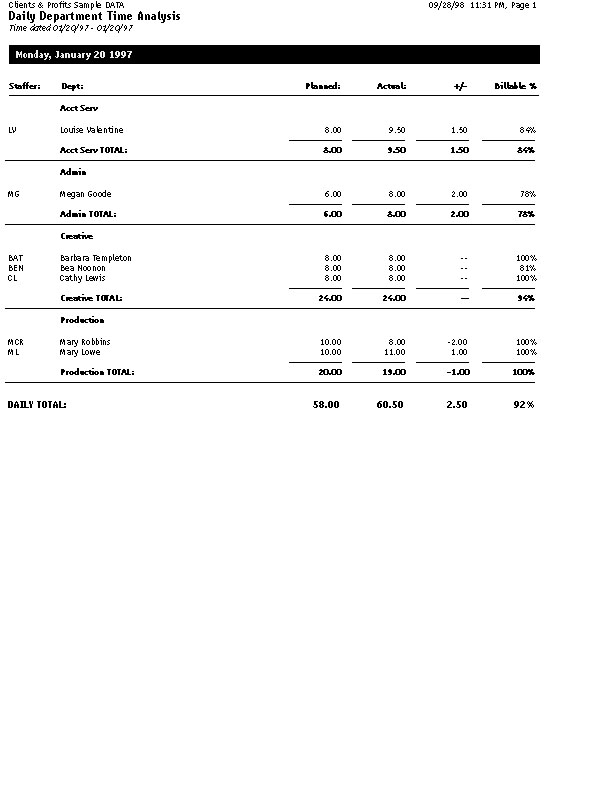
The Daily Dept Time Analysis report shows total hours by day for everyone who worked, including planned vs. actual hours by day for each staff member and department. |
|
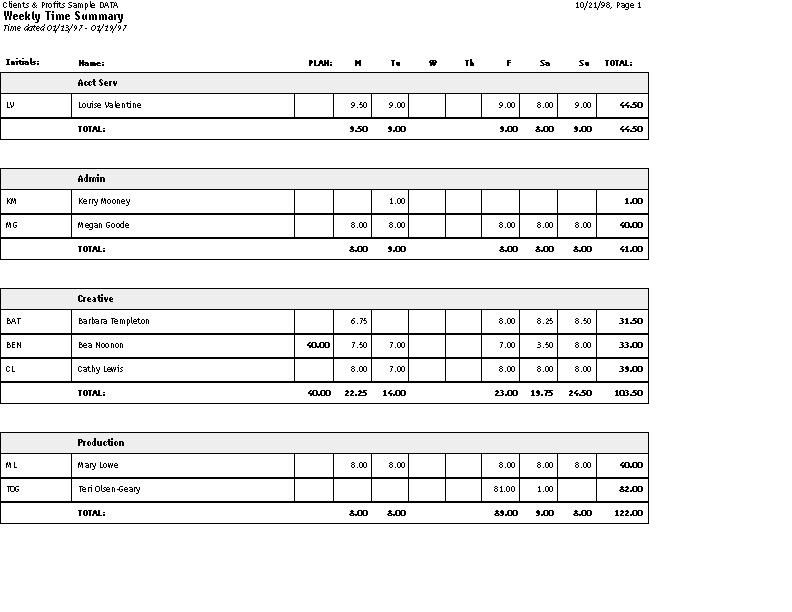
The Weekly Time Summary report shows the total hours spent for each staff member on each day, compared to their total weekly planned hours, for a 7-day period. The staff are subtotaled by department on the report. |
|
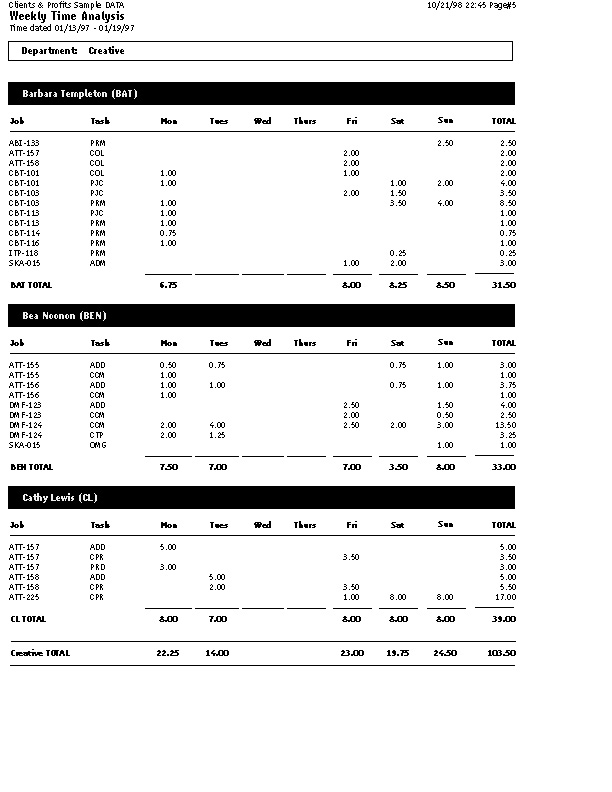
The Weekly Time Analysis report shows the total hours spent for each staff member on each day, and the specific jobs on which they worked, for a 7-day period. The staff are subtotaled by department on the report. |
|
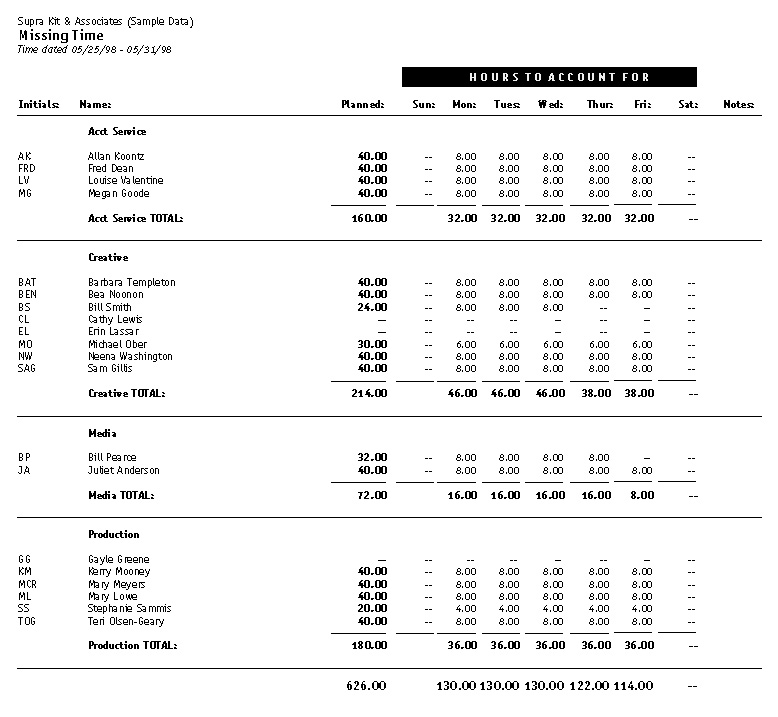
The Missing Time report lists each staff member by department showing their planned hours vs. their actual hours. It shows who hasn’t accounted for all of their time. |
|
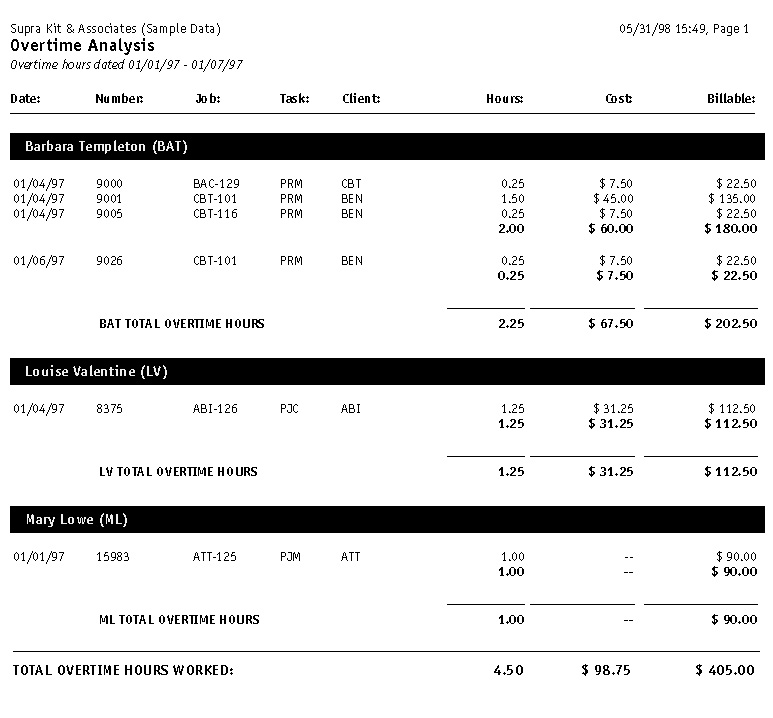
The Overtime report shows time entries marked as “overtime” only. |
|
| Staff Utilization | |
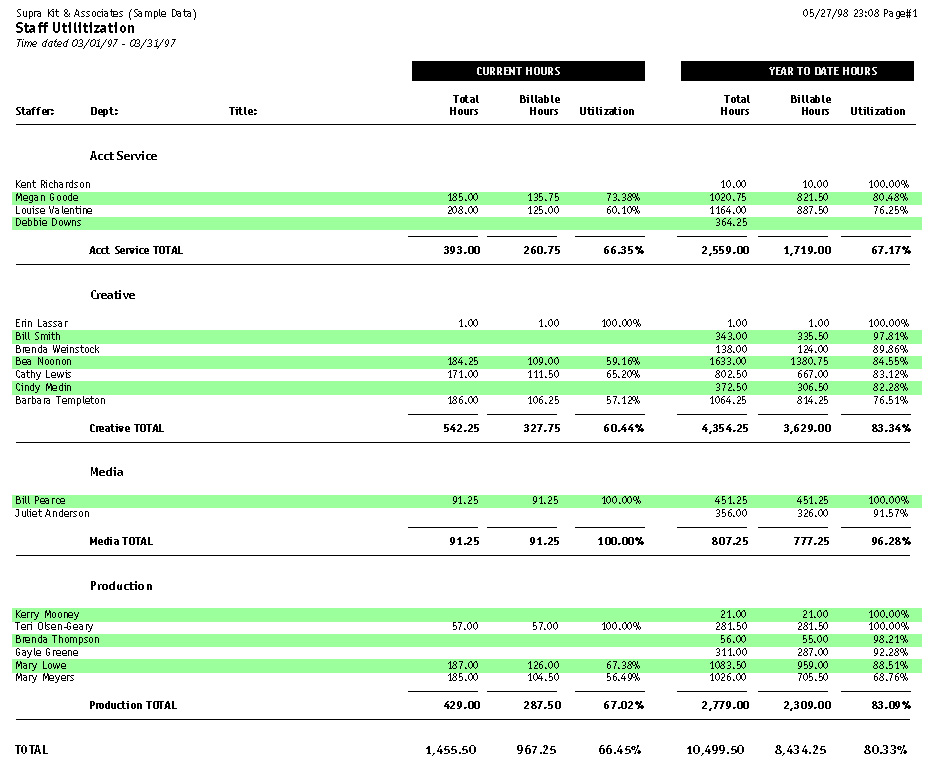
The Staff Utilization report compares each staff member’s total hours vs. their billable hours. It is based on what percentage of their total hours is actually billable time. |
|
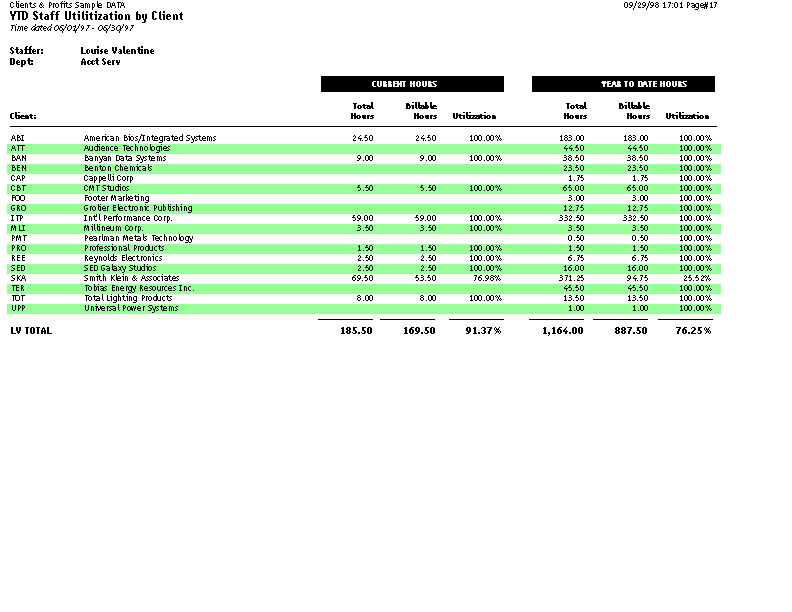
The YTD Staff Utilization by Client report compares period vs. year-to-date staff time. |
|
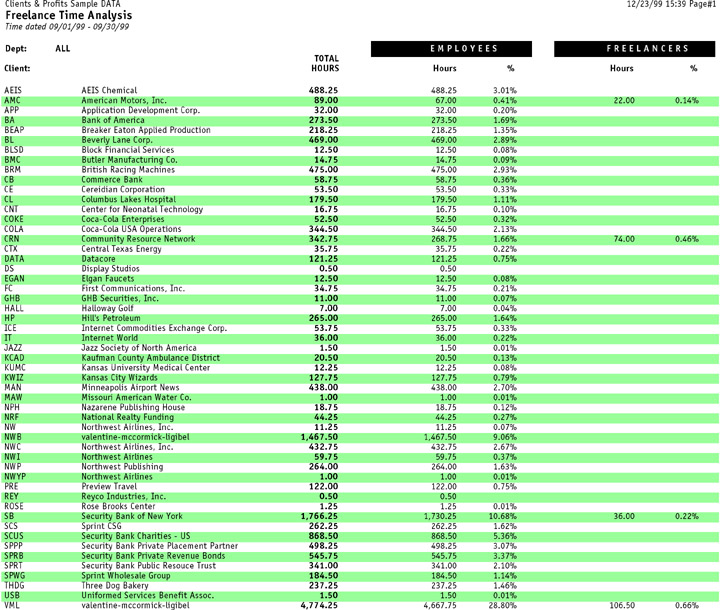
The Freelance Time Analysis compares client hours for employees vs. freelancers. |
|
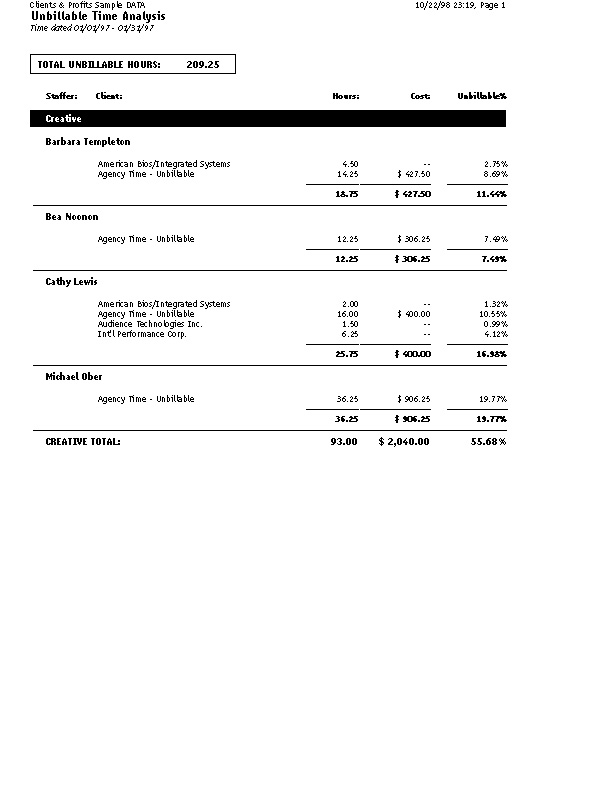
This report compares the percentage of unbillable staff time by client. |
|
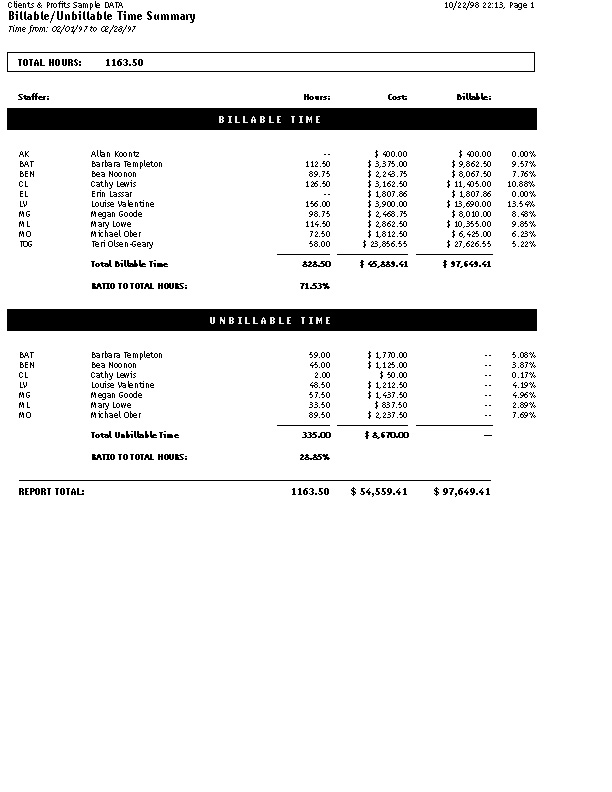
The Billable/Unbillable Time Summary report compares billable to unbillable hours. |
|
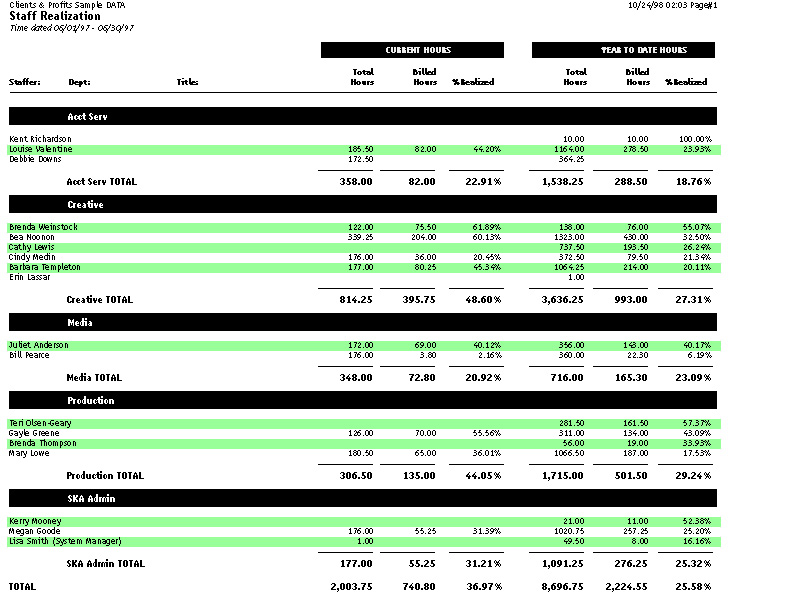
The Staff Realization report compares each staff member’s total hours vs. their billed hours. It is based on what percent of their total hours has actually been billed. |
|
| Dept Performance | |
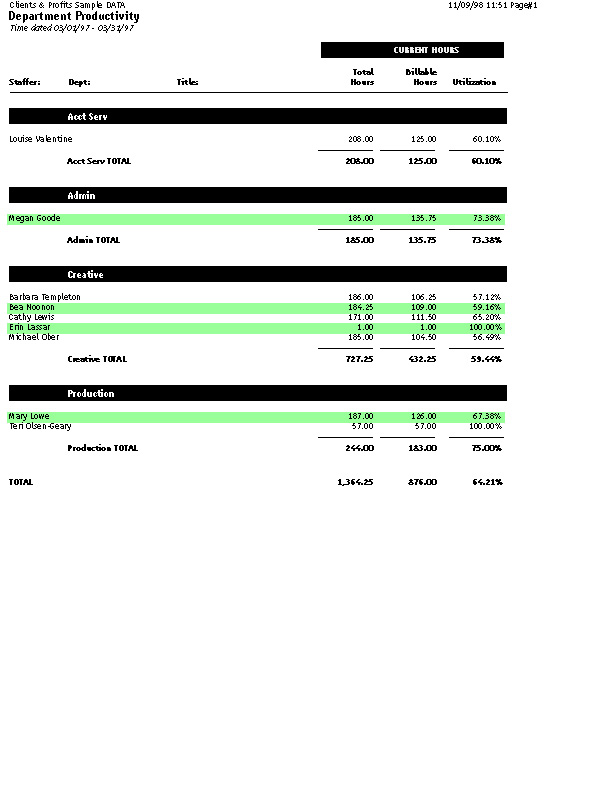
The Dept/Group Productivity report compares each staff member’s total hours vs. their billable hours. The staff members are subtotaled by department. |
|
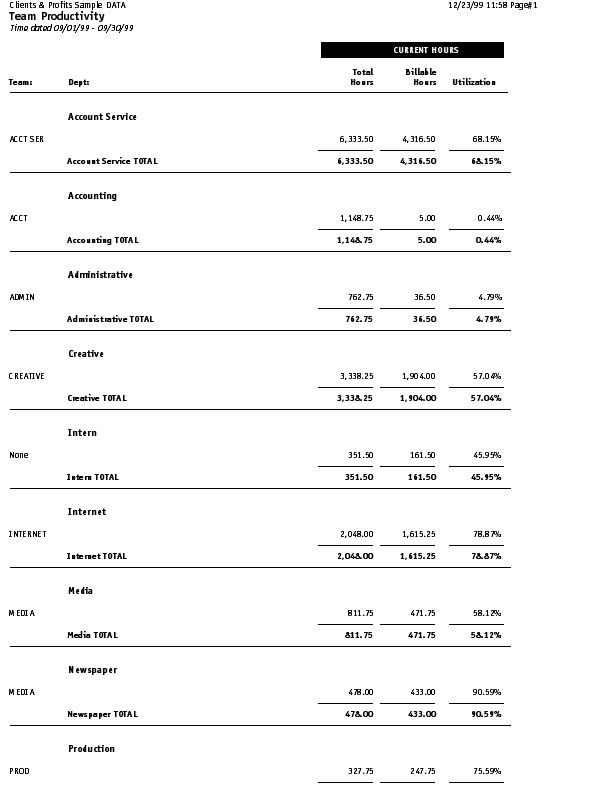
The Team Productivity report compares each team’s total hours vs. their billable hours and calculates the team’s utilization (percentage of billable hours). |
|
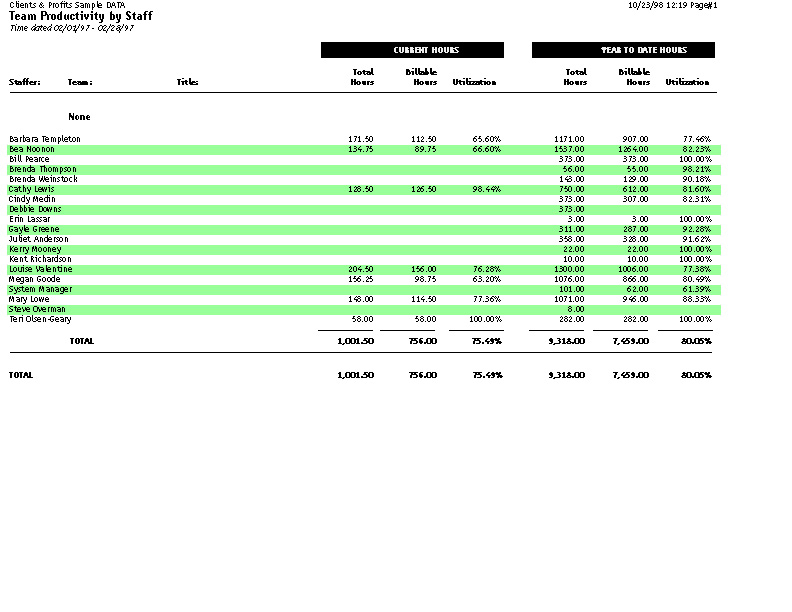
The Team/Staff Productivity report compares each staff member’s total hours vs. their billable hours. The staff members are subtotaled by team. |
|
Client Analysis |
|
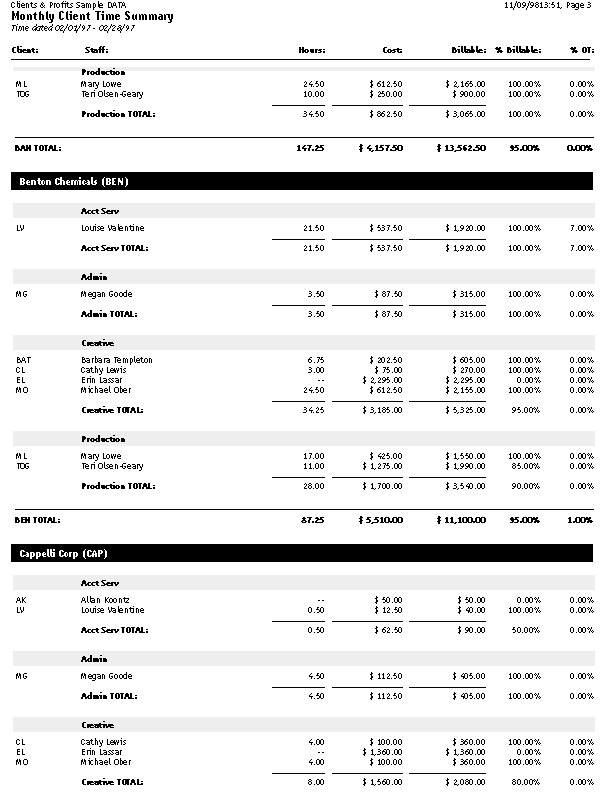
The Monthly Client Time Summary report shows total hours worked by staffer per client. |
|
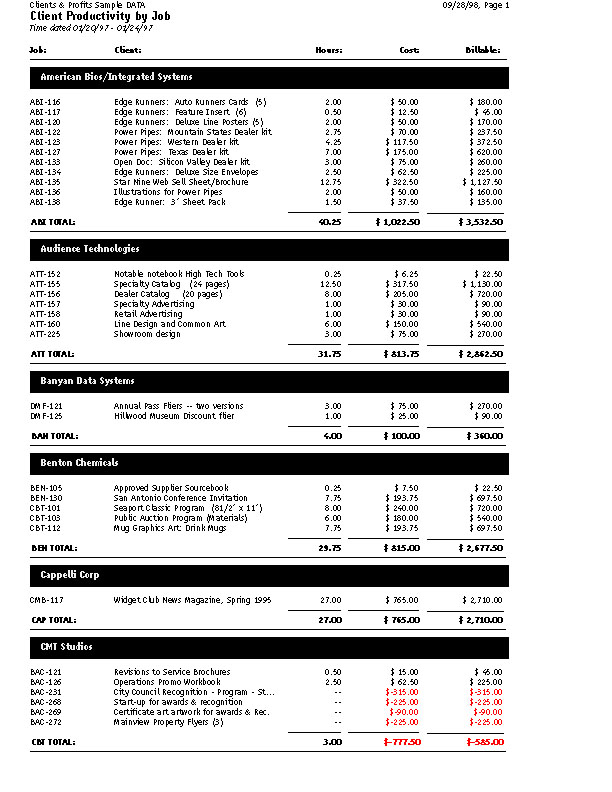
The Client Productivity by Job report shows total hours worked by job and client. |
|
The Division Productivity report compares each division’s total hours vs. billable hours. |
|
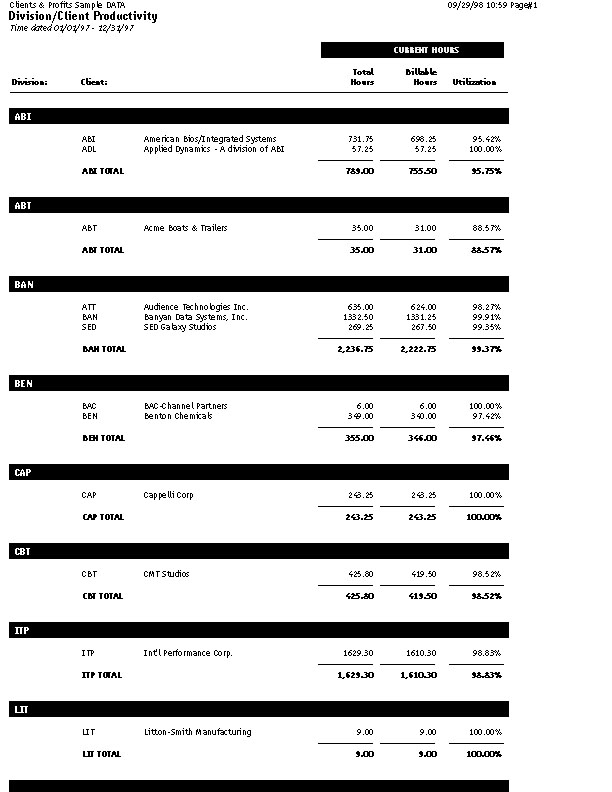
The Division/Client Productivity report analyzes total hours for each division and client. |
|
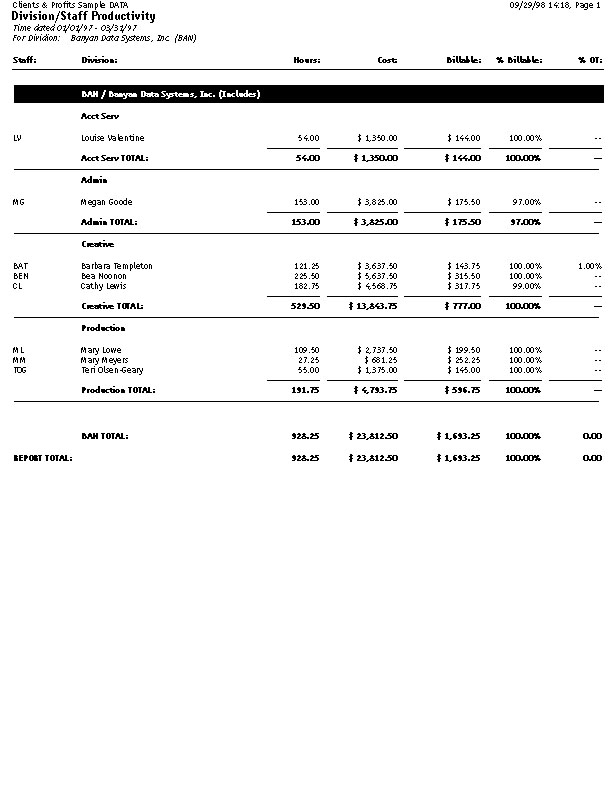
The Division/Staff Productivity report compares staff hours by division and client |
|
Profit Centers |
|
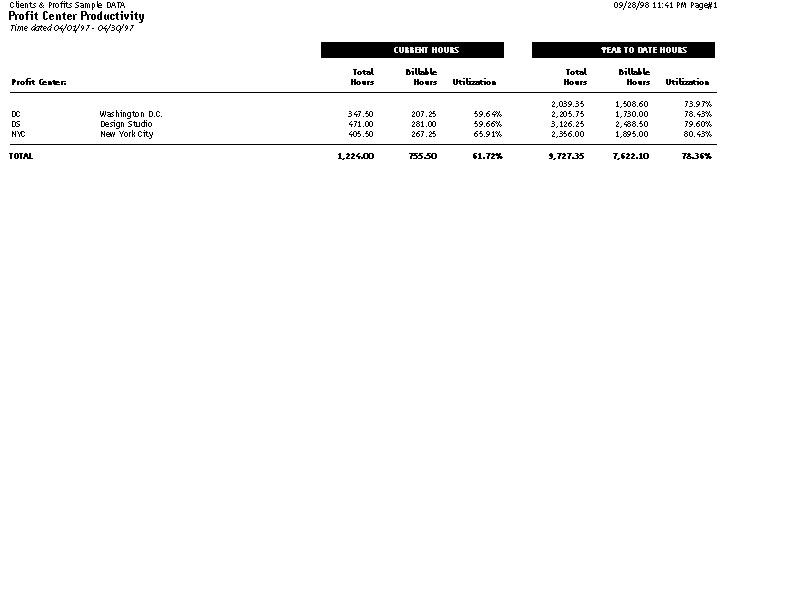
This report compares each PC’s total hours vs. billable hours to calculated its utilization. |
|
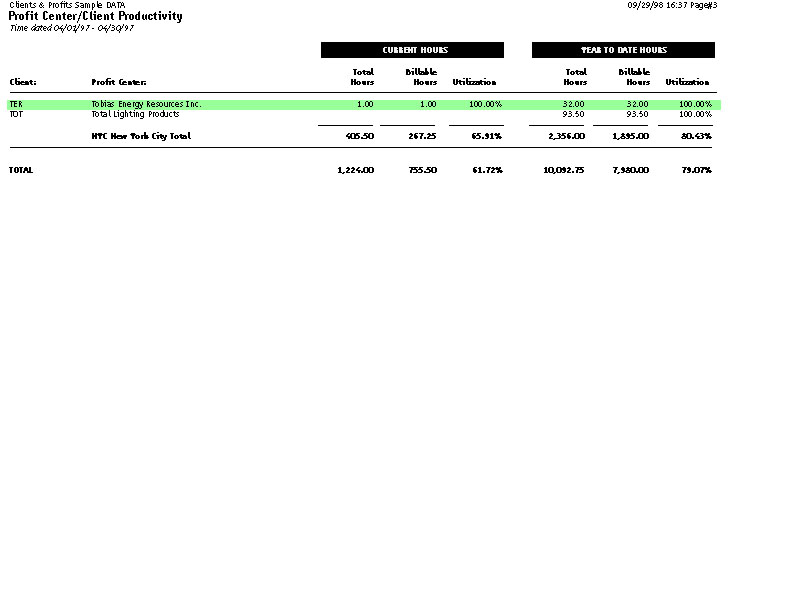
This report analyzes each profit center’s total hours and billable hours for each client. |
|
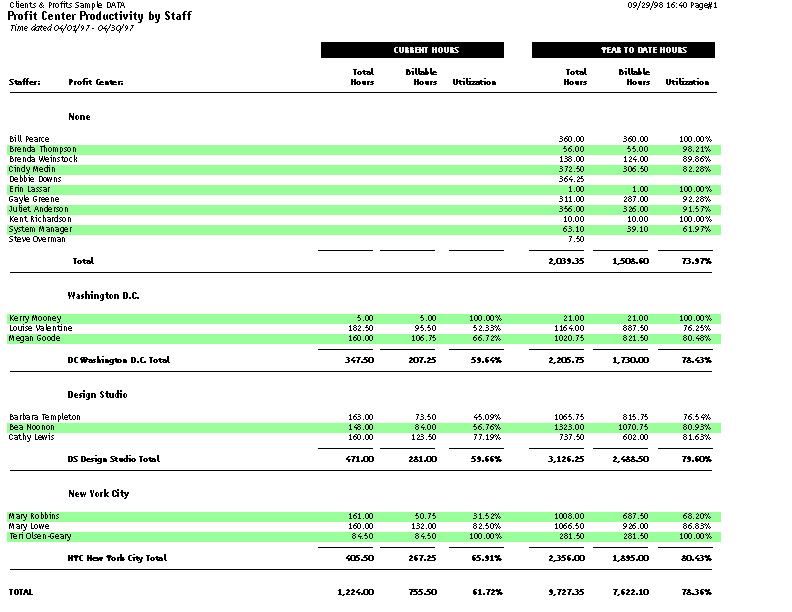
The Profit Center/Staff Productivity report shows total hours by staff worked by PC. |
|
 Comments (0)
 © 2011 Clients & Profits, Inc. w e l o v e a d v e r t i s i n g
