
Free help: USER GUIDE

Home > Clients & Profits X User Guide > My > My Jobs

|
Clients & Profits X Online User Guide |

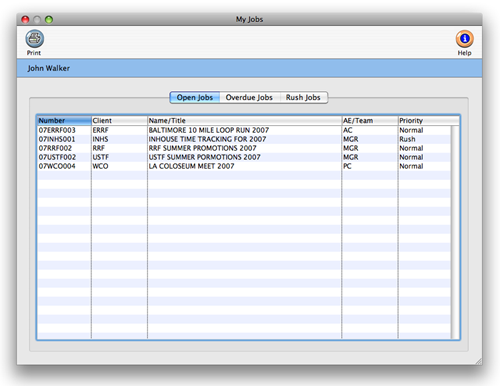
The My Jobs window lists all of the open jobs to which you’re assigned.
The My Jobs window lets you see all of the jobs on which you’re one of the traffic assignments (e.g., creative director, project manager, copywriter, etc.) or the job's AE. It also includes jobs for which you are the account executive (i.e., the AE/Team field). Compared to the lookup list, the My Jobs windows only shows your jobs. It works like the jobs Lookup List, except that it filters out jobs that you're not a part of.
The My Jobs window does not show tasks to which you were scheduled. To see your job tasks, use the Work To Do or Weekly Task Planner functions instead.
Jobs are sorted by job number. They can be sorted client number, job name/title, AE/team, or priority by clicking on any column heading. The sort order (i.e., ascending or descending) can be changed by clicking on the up/down arrow.
To see a job and its tasks
1 Make sure all other windows are closed, then double-click on a job to jump to the Job Ticket window.
To print your job list
1 From the My Jobs window, click the print button.
 Comments (0)
 © 2011 Clients & Profits, Inc. w e l o v e a d v e r t i s i n g
