
Free help: USER GUIDE

Home > Clients & Profits X User Guide > Setup > Default G/L Accounts

|
Clients & Profits X Online User Guide |

Default accounts are entered automatically when a new transaction is added
Default G/L accounts are customizable for every user. For example, someone who adds only media payables could have a default A/P account as media payables, instead of the regular accounts payable account. Since defaults accounts are entered for you, your account coding is more consistent -- and probably more accurate. Different defaults can be set for different users, based on the kinds of work they enter; now they won’t have to memorize accounts they use most often.
Default accounts can also be assigned to tasks in the Task Table. A task’s default accounts (one for job costs, the other for income) overwrite the user’s default accounts.
No one is forced to use a certain default account. In every case, you can change any G/L account when entering something.
To edit your default G/L accounts
Each user can have his or her own default G/L accounts. These account settings are used whenever something (like a payable or receivable invoice) is added. You can only change a user’s G/L accounts if you’ve introduced yourself with the user’s initials and password.
1 Choose Clients & Profits X > Preferences (Mac) or Setup > Preferences (Windows), then choose G/L Accounts from the list on the left.
The Default G/L Accounts preferences window opens.
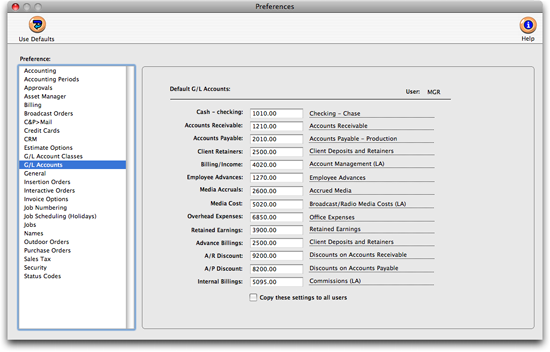
3 Enter the default G/L account numbers.
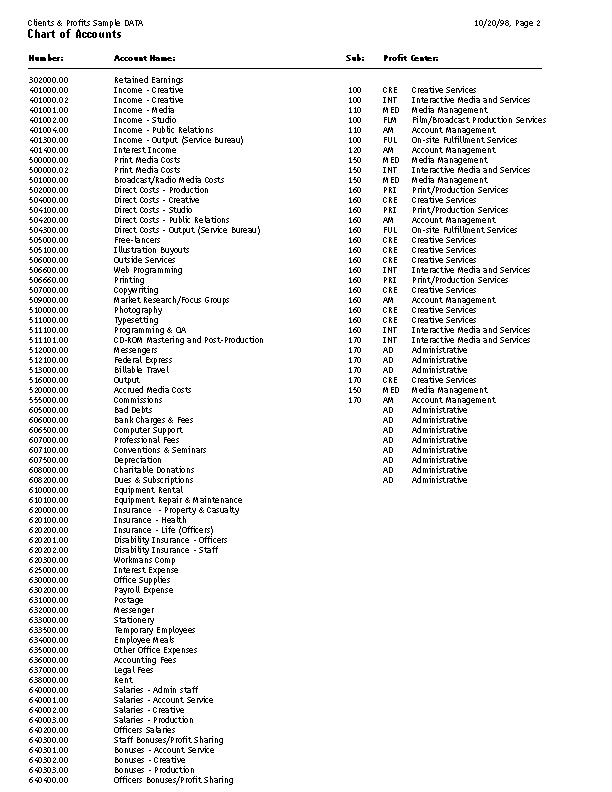
If you don’t know an account number, choose Lookup > Chart of Accounts to list your G/L accounts. Double-click on an account in the lookup list to copy it to the preferences window.
4 Close the preferences window and your changes will be automatically saved.
 Comments (0)
 © 2011 Clients & Profits, Inc. w e l o v e a d v e r t i s i n g
